Irish guide
IPTV app Ireland: the right player for every screen in the house
Picking an IPTV app Ireland households can use on every screen starts with one fact: the app is only a window, and the login you type into it is what fills the list. This guide goes through the players that open our login, what each one costs, the look-alikes and unknown files to avoid, and which player fits each device in the house, with a comparison table to settle it.
What a player app does, and what it leaves to the login
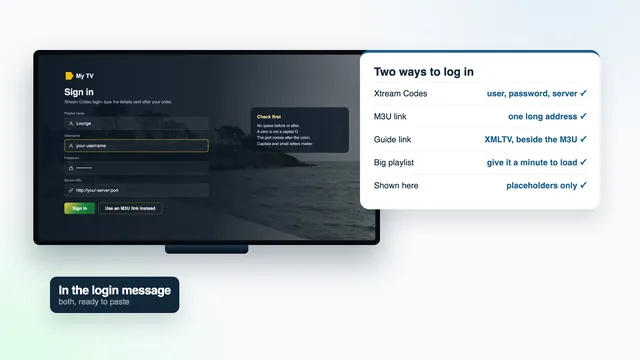
Every IPTV app Ireland homes might choose arrives empty. None contains channels, films or a programme guide of its own. Each one reads what our login message gives you: the Xtream Codes details (username, password and server URL) or the M3U playlist link, plus the guide link for the listings.
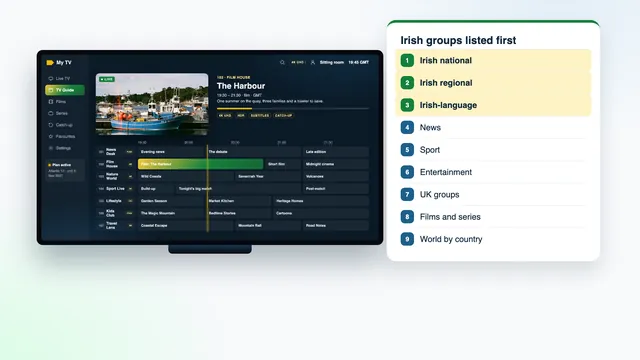
That makes the choice of app a question of comfort rather than content. The same 40,000+ live channels, with the Irish groups at the top, and the same 120,000 films and series turn up in every compatible player. What changes is the layout, how the guide looks, how quickly the menus respond to a remote and, above all, whether the app runs on the screen you own.
Xtream Codes or M3U? With the Xtream details, a player fetches the channel groups, the film library, the series and the guide in one go. The M3U link is a plain playlist that a few players, such as VLC, work from instead. The M3U link guide goes into the difference.
The players that open the login, one by one
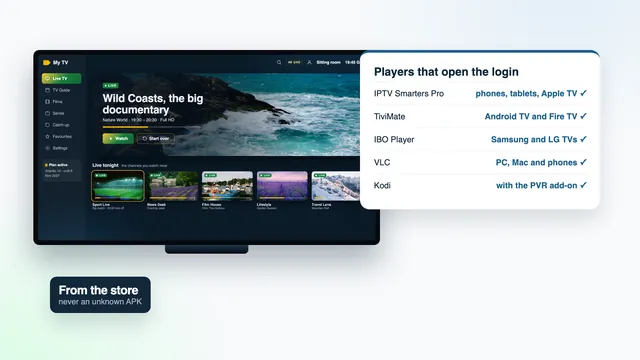
IPTV Smarters Pro
The ‘Smarters Pro’ app, published by Tech Smarters Private Limited, runs on most of the screens in a typical house: iPhone, iPad and Apple TV through the App Store, Macs with Apple silicon, and Android phones, tablets and televisions through Google Play. It logs in with the Xtream Codes details or an M3U playlist.
It isn’t in the Amazon Appstore at the time of writing, so on a Fire TV it goes in with Downloader and the link sent with your login; the Fire TV stick guide has the steps. On Samsung and LG televisions it shows up in some TV stores and not in others, according to the model and the market the set was made for.
TiviMate
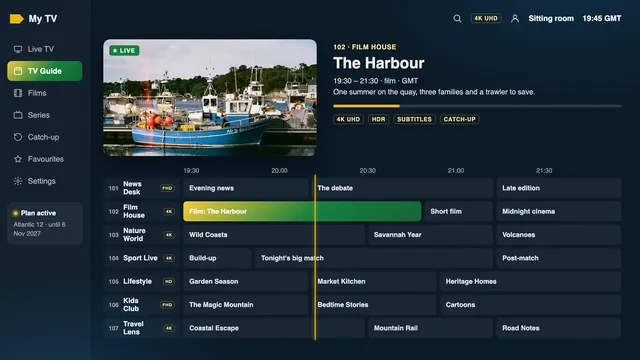
A player made for Android TV, Google TV and Fire TV, built around the remote rather than a touchscreen. It lays the channels out in a grid against the time, much like the guide on a set-top box. The app is free, and some features sit behind paid premium options; check the current terms inside the app, as we don’t quote its price.
IBO Player
Useful on Samsung and LG televisions where Smarters Pro isn’t listed. Instead of typing the login on the TV, you attach the playlist to the set itself, using the MAC address or device key the app displays when it opens. Read the app’s own terms before linking a set.
Smart IPTV
Another player for Samsung and LG sets. Each television needs its own one-off activation, after which the playlist goes to it from the app’s website, addressed by the set’s MAC address. Once linked, there is nothing to type on the TV, and two televisions simply mean two activations.
XP IPTV
One more player that accepts the login. What it offers and which screens it runs on vary by store and version, so read the listing, check the developer’s name, and ask us if you’re unsure whether it suits your device.
VLC
The free media player many people already have on a laptop. It opens the M3U link on PC, Mac, Android and iOS, which makes it a handy way to confirm a playlist plays before you set up the television. It plays the list rather than laying out a TV guide, so it suits a quick look more than a night of channel-hopping.
Kodi
Kodi does nothing with live TV until you add the ‘PVR IPTV Simple Client’ add-on and give it the M3U link and the guide link. Worth the effort if Kodi is already your media centre; a long way round if it isn’t.
Free and paid: what you’re actually paying for in a player
No player sells channels, and none should. When an app asks for money, it’s for extra features or for the right to run on one television.
- IPTV Smarters Pro: a free download that works with the login as it stands; the optional in-app ‘Premium’ adds features, at a price that varies by store.
- TiviMate: costs nothing to install; the premium options are paid. We give no price, since the developer sets it and can change it.
- Smart IPTV: a one-off activation per television.
- IBO Player: read its current terms in the app or on its website before linking a set.
- VLC and Kodi: free, as is the add-on Kodi needs.
- XP IPTV: the store listing gives the current terms.
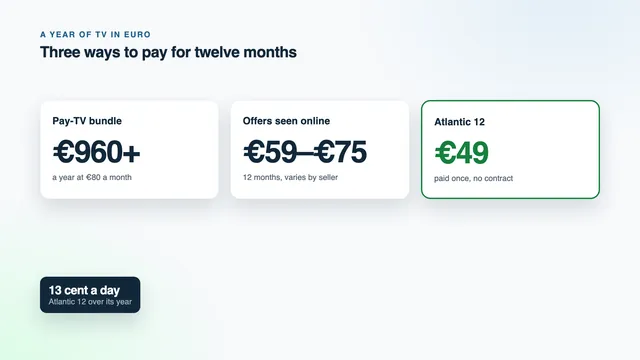
Any payment for a player goes to its developer, through a store or their website, never to us, and our price is the same whichever app you pick. Our part is the login: Atlantic 12 costs €49 for twelve months, paid once, about 13 cent a day, and the four Atlantic plans sit side by side on the home page.
The seven players side by side
Read across a row for the screens each IPTV app Ireland homes use will run on, how the login goes in and what it costs.
| Player | Screens it runs on | How the login goes in | Cost | Best at |
|---|---|---|---|---|
| IPTV Smarters Pro | Android phones, tablets and TVs; iPhone, iPad and Apple TV; Macs with Apple silicon; Fire TV through Downloader; some Samsung and LG sets | Xtream Codes or M3U | Free; optional in-app Premium, price varies by store | One app across a house of mixed devices |
| TiviMate | Fire TV, Android TV and Google TV | Xtream Codes login or M3U link | Free; premium options are paid | Browsing a guide grid with the remote |
| IBO Player | Samsung and LG TVs | Playlist tied to the set’s MAC address or device key | See the app’s current terms | TVs without Smarters Pro in their store |
| Smart IPTV | Samsung and LG TVs | Playlist sent from the app’s website to the set’s MAC address | One-off activation per TV | Set once, nothing to type on the TV |
| XP IPTV | Varies by store | See the store listing | See the store listing | A fallback when the others are missing |
| VLC | PC, Mac, Android, iOS | M3U link | Free | Confirming the playlist plays on a computer |
| Kodi | Wherever Kodi is installed | Through its Simple Client add-on, with the M3U and guide links | Free | Homes already using Kodi |
Which IPTV app Ireland homes need on each device
Go screen by screen. It’s normal to end up with two or three different players in one house, all opening the same login.
- Fire TV stick or Cube: Smarters Pro through Downloader, or TiviMate. A model running Vega OS installs Appstore apps only, so check the system before you buy.
- Android TV, Google TV and certified Android boxes: TiviMate or Smarters Pro from Google Play. The Android box guide explains what to look for if you’re adding one.
- Samsung (Tizen) and LG (webOS): look in the TV’s store for Smarters Pro first; IBO Player or Smart IPTV if it’s absent; and if neither suits, add a stick or a box.
- Apple TV: Smarters Pro from the App Store, the only place an Apple TV takes apps from. Two switches are worth flipping afterwards, both in the Match Content section of Settings › Video and Audio: Match Dynamic Range, so HDR titles show in HDR, and Match Frame Rate, so 50-frame sport keeps its own rhythm.
- iPhone, iPad, Android phones and tablets: Smarters Pro from the App Store or Google Play.
- Windows PC or Mac: VLC with the M3U link; Smarters Pro on a Mac with Apple silicon; Kodi with its add-on if you already use it.
Each single-screen plan plays on one screen at a time, however many apps hold the login. For two screens playing together, Atlantic 12 Duo covers both for €79 a year, and the IPTV subscription Ireland page lists the months and screens of every plan.
Look-alike apps and how to spot them
Search a store for a well-known player and the results often include apps with nearly the same name and a similar icon. Some are harmless copies, some are thin wrappers full of adverts, and a few ask for money to ‘unlock channels’, which no real player needs, because the channels come from your login.
- Read the developer line: the genuine Smarters Pro comes from Tech Smarters Private Limited, and a copy won’t.
- Compare the name letter by letter; an extra word or a swapped letter is the usual giveaway.
- Be wary of any listing that promises channels, sport or films inside the app.
- Look at the permissions. A player has no reason to ask for your contacts or your text messages.
Installed the wrong one? Uninstall it, search again, and check the developer line before you choose Install.
Store versions against unknown APK files
Apps from Google Play, the App Store and the Amazon Appstore come from a named developer and update through the store. An APK file passed around on a forum or under a video has none of that: you can’t tell who built it, what was changed, or whether it will ever be updated, and unknown APKs can carry malware.
On Android TV, Google TV and Apple TV, there is no reason to look beyond the store. Fire TV is the case where Smarters Pro has to come from outside the Appstore, and there the only link to use is the one sent with your login message.
Settings worth changing in any player
- Guide time: listings follow Irish time, GMT through the winter and IST (Irish Standard Time) once the clocks go forward at the end of March, until they go back at the end of October. If the listings sit an hour out, use the player’s EPG time offset, not the device clock.
- Favourites: mark the channels you watch every night so they open first, ahead of the full list.
- Catch-up: programmes from up to seven days back stay in the guide on channels that keep them, and those channels carry a catch-up mark.
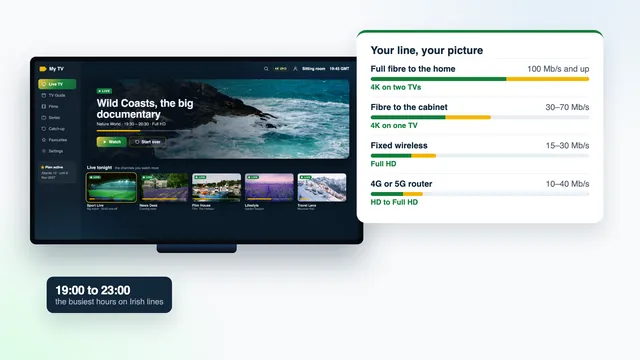
- Picture: on a busy evening line, choose the Full HD version of a channel; allow roughly 25 Mb/s of steady speed for every 4K screen.
- Groups: if your player allows it, hide the world groups you never open so the Irish and UK groups are quicker to reach; the page on how the Irish channel list is ordered shows the sequence.
For the first set-up on each screen, the IPTV Ireland setup page walks through it, and the team answers on WhatsApp or email 24/7 through the contact page. To see everything the login includes before you order, the IPTV Ireland overview on the home page sets it out.
Frequently asked questions
Which app should I use on a Samsung or LG television?
Search the TV’s store for Smarters Pro first; some models and markets have it and some don’t. Without it, IBO Player or Smart IPTV attach the playlist to the set by its MAC address. If neither suits, plug a Fire TV stick into a free HDMI socket; that’s the simplest way round.
Is IPTV Smarters Pro free?
Yes, the download is free and works with our login as it stands. An optional in-app Premium adds features, and its price varies by store. You never pay us for the app.
Does any IPTV app Ireland stores carry come with channels?
No genuine player does. The channels, films and guide all arrive through the login we send after payment. An app that claims to include channels is one to avoid.
Can I use different apps on different screens?
Yes: TiviMate on the sitting-room TV and Smarters Pro on a tablet open the same login without any problem. On the single-screen plans only one of them streams at once; Atlantic 12 Duo lets two play together.
Why does my TV app ask for a MAC address?
IBO Player and Smart IPTV recognise the television by its MAC address (IBO Player can also use a device key) and send your playlist to that set, so you never type on the TV. The app shows the details you need when it opens. It saves you the TV keyboard; it isn’t a charge from us.
Do you publish or sell an app of your own?
No. We don’t publish or sell any app, box or stick; the login works in compatible players made by others. Each app’s features and prices are set by its developer.
Do I set the app up again when I order another plan?
The app stays. Another order means fresh login details, which replace the old ones in the same player, and the team can walk you through the swap.