Irish guide
IPTV Ireland M3U: where the playlist link goes, and the guide link with it
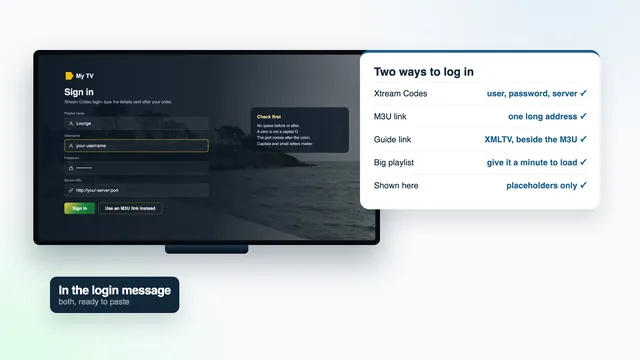
Your IPTV Ireland M3U link is one of the long addresses in your login message, and a player that receives it pulls in the full channel list in a single download. This guide shows where it goes in each player you will find in an Irish home, which second link brings the programme guide, when the Xtream Codes details save you the trouble, and how to cope with a large playlist on fixed wireless or a 4G router. Every address below is a placeholder; your own is in your message and nowhere else.
What the IPTV Ireland M3U link is
Your login message holds two long web addresses. The first is the playlist: an address that returns a plain text file listing every channel your plan opens, one entry after another. Each entry carries a name, the group it belongs to, a logo, a guide ID and the stream address the picture comes from. A player reads that file from top to bottom and builds its menus out of it.
Nothing about the file is fixed on your device. Each time the player refreshes, it calls the link again and gets a fresh copy written for your login. That is how a renamed group or a newly added channel reaches the sitting room without you touching a thing.
The shape of the link
With the placeholders swapped for your own details, the address follows this pattern:
http://your-server:port/get.php?username=your-name&password=your-pass&type=m3u_plus
The word after type= decides what kind of list comes back. m3u_plus is the fuller version, with group names and logos included, and it is what lets a player show the Irish groups as tidy folders instead of one endless column of names.
Your username and password are written inside that address. Treat the whole line as you would a bank PIN: whoever holds it can open your channels and occupy your screen.
The XMLTV guide link that travels with it
The second address ends in xmltv.php, followed by the same username and password:
http://your-server:port/xmltv.php?username=your-name&password=your-pass
It returns the programme guide in XMLTV, the format nearly every player reads: seven days of listings, matched to channels through the guide ID that each playlist entry carries. When the IDs agree, tonight’s programmes land beside the right channel. A channel with no listings still plays; its row in the guide simply stays blank.
On its own, an M3U playlist tells a player what it can play, not what is on. A few players find the guide address in the first line of the playlist and fetch it by themselves. Most expect it pasted into a separate field, labelled EPG, guide source or XMLTV.
Listings on Irish time
The listings follow Irish time: GMT through the winter, and Irish Standard Time once the clocks go forward at the end of March, until they fall back at the end of October. On 6 November 2026 the country is on GMT; the clocks next move on 28 March 2027, then back on 31 October 2027. If every programme sits exactly one hour away from the picture, look at the time zone of the TV or stick before anything else. Only then reach for the “EPG time offset” in the player, which shifts the whole grid by an hour.
A full week of listings for a list this size makes a heavy file. Let the first download finish before you decide the guide is missing.
Where to paste the M3U link in each player
Where your IPTV Ireland M3U link goes depends on the player, and players don’t agree on what to call the field either. The table gives the spot in each one you are likely to meet in an Irish home; the notes under it cover the details that catch people out.
| Player | Where the M3U link goes | Programme guide | Easier route |
|---|---|---|---|
| IPTV Smarters Pro | The option to load a playlist or file by URL, on the screen where you add a user; name the list first | Comes on its own with the Xtream route; by M3U it depends on the app version | Xtream Codes |
| TiviMate | Add playlist, choose the M3U type, then enter the link | Read from the playlist, or added as a source in the EPG settings | Xtream Codes |
| Smart IPTV | On the app’s own web page, next to the MAC address the TV shows, once that TV is activated | Depends on the app’s own guide settings | M3U is the route it takes |
| IBO Player | On its web page, against the identifiers the TV app displays | Depends on the version on your TV | Whichever its page offers |
| VLC | Open Network Stream (Media menu on Windows, File menu on a Mac); the network stream option in the phone app | None: VLC plays the list without listings | M3U is the only route |
| Kodi | Inside the Simple Client add-on, with the M3U location switched to an internet address | Same add-on, EPG tab, same switch for the XMLTV link | M3U plus XMLTV |
IPTV Smarters Pro
Smarters offers several ways in on its first screen. The playlist-by-URL option takes the M3U; the Xtream Codes option takes the three details separately. Choose one route per device. Adding the same login twice, once each way, gains nothing and leaves a confusing pair of users on the list. Before installing, read the developer line on the store page: it should say Tech Smarters Private Limited, since copies with similar names circulate.
TiviMate on Android TV and Fire TV
When you add a playlist, TiviMate asks which kind it is. Pick M3U, type or paste the link, wait for the channels to load, then give the list a name. If the guide stays empty once the channels are in, add the XMLTV link as a new source in the EPG section of the settings and let it update. TiviMate is free with paid premium options; the price is set in the app, not by us.
Typing a long address with a remote is the slowest part of any setup on a stick. Go slowly, check every & and =, and compare the last few characters with your message. The Firestick guide for Irish homes has more on typing logins with the remote.
Samsung and LG televisions: Smart IPTV and IBO Player
On many Samsung and LG sets these two take the place of Smarters, whose availability depends on the model and the country. Neither asks you to type the link on the TV. You open the app’s web page on a phone or laptop, copy in the identifier shown on the app’s first screen, and paste the M3U link beside it. The TV picks up the list the next time the app starts.
Smart IPTV needs a one-time activation on each television. IBO Player ties your playlist to an identifier the app shows on screen, either the MAC address or a device key. Reach either web page from the address the app itself displays, never from a search result that only looks like it.
Kodi
Kodi needs an add-on called “PVR IPTV Simple Client”, which sits among the PVR clients in its add-on browser. Open the add-on’s configuration, change the M3U location from local to remote, and paste the playlist link into the address field; the XMLTV link goes into the EPG tab the same way. Restart the add-on and both channels and listings turn up under TV.
When Xtream Codes is simpler than the M3U
Your message also gives three shorter details for the Xtream Codes route. Players that understand that format take those three entries and ask the server for everything else, one part at a time:
- the programme guide, with no second link to paste;
- films and series in sections of their own, with posters, instead of mixed into the live list;
- catch-up wherever a channel keeps an archive, typically for the past week;
- three short fields that are far kinder to a remote control than one long address.
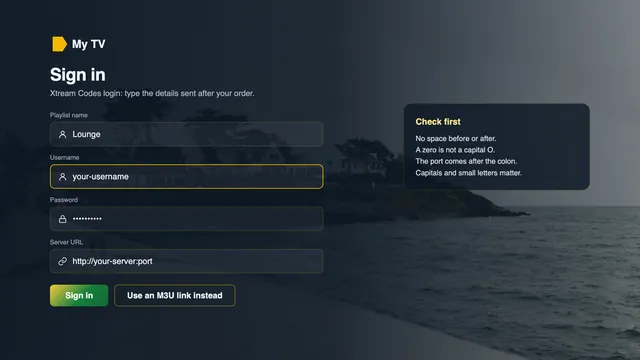
The M3U still earns its place: in VLC, in Kodi, in TV apps that only take a playlist, and as a way to check a login on a laptop before you sit down with the remote. For the Xtream route screen by screen, the IPTV Ireland setup page covers each device, and the guide to the players for each screen in an Irish home compares the apps themselves.
Playlist size and loading time on slow Irish lines
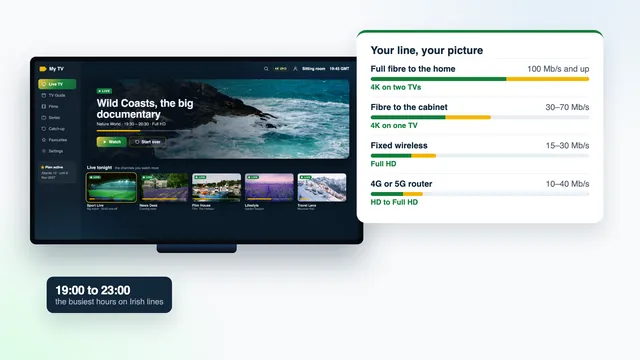
A list of 40,000+ channels is a big text file, and it grows again when films and series are part of it. The player downloads it in one piece and then sorts it into groups. On full fibre that passes almost unnoticed. On fixed wireless, or a 4G router at nine in the evening, the same download shares the mast with every other house nearby, and the player can sit on its loading screen long enough to look frozen.
| Your line | Usual evening speed | Plays on one plan | For the playlist |
|---|---|---|---|
| Full fibre to the home | 100 Mb/s and up | 4K on two TVs | Load or refresh at any hour; a daily update is plenty. |
| Fibre to the cabinet | 30–70 Mb/s | 4K on one TV | Usually fine; on a long line from the cabinet, do the first load outside the evening peak. |
| Fixed wireless | 15–30 Mb/s | Full HD | First load in the morning or early afternoon; distance from the mast and the weather both play a part. |
| 4G or 5G router | 10–40 Mb/s | HD to Full HD | Load outside 19:00–23:00, prefer the Xtream route, and try a window or outdoor antenna. |
What shortens the wait
- Do the first download outside the Irish peak, between about seven and eleven at night, and avoid Saturday and Sunday evenings.
- Plug the device in by Ethernet, or keep it on 5 GHz Wi-Fi within a room of the router, for that first load as much as for 4K.
- Switch off “update playlist on every start” if your player has it, and set a daily update instead.
- Hide the groups you will never open, so the menus you scroll through stay short.
- Where the player offers it, use Xtream Codes, which fetches live channels, films and series as separate lists.
Loading the list and playing a channel are separate questions. Once the list is in, an HD channel wants about 5 Mb/s held steady, Full HD twice that, and each 4K screen around 25 Mb/s, measured on the device itself. The broadband guide for each kind of Irish line goes through what fibre, fixed wireless and 4G hold at peak time.
Refreshing the playlist and the guide
The IPTV Ireland M3U link stays the same for the length of your plan. What changes is what sits behind it: channels added, groups renamed, listings rolling forward a day at a time. Two settings keep your player in step.
- Playlist update: once a day is enough. Most players keep an update interval or a refresh button in the playlist’s own settings.
- Guide update: daily as well. The listings cover a week ahead, so a skipped update shortens that week rather than emptying it.
- After a clock change: refresh the guide first. Only if listings are still an hour out the next day should you touch the time offset.
When your plan ends and you order again
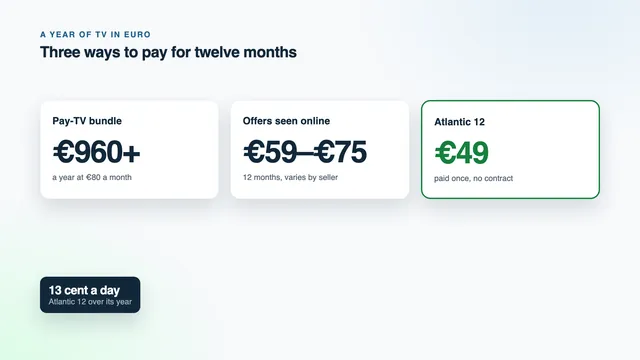
Your plan runs until the date printed in the login message and then simply stops; there is no automatic renewal. Come back later with a new order and the team sends a fresh login, with new M3U and guide links to match. Replace the old links in each player rather than adding a second playlist; otherwise a dead list sits beside the working one. The four Atlantic plans run from Atlantic 3 at €29 to Atlantic 24 at €89, and the IPTV subscription Ireland page sets out each length with its end date.
Common M3U errors and how to fix them
Most faults with an IPTV Ireland M3U link come down to a character copied or typed slightly wrong. Work down the table before anything else.
| Symptom on screen | Usual reason | First thing to try |
|---|---|---|
| “Invalid playlist” or an empty list | The link was cut short when copied, often where WhatsApp or the email wrapped the line | Copy it again with a long press on the message, paste it into a notes app and compare the ending with the original |
| Login failed, error 401 or 403 | A slip in the username or password inside the link, the plan has ended, or another screen is already playing | Compare letter by letter, check the end date in your message, and stop playback on the other device |
| Error 404 or “not found” | A mistake in the server part, the port or the path | Retype everything from http to the question mark |
| Channels play, guide empty | No XMLTV link added, or the first guide download is still running | Add the guide link and wait for the first update to finish |
| Guide exactly one hour out | Device time zone, or a clock change the guide hasn’t caught up with | Set the device to Dublin time, refresh the guide, then adjust the EPG time offset |
Spaces or %20 inside the link | Pasted from a formatted document or a PDF | Paste as plain text; a working link has no spaces |
| List loads, picture stalls after 19:00 | The line at peak time, not the link | Use Ethernet or 5 GHz Wi-Fi, or choose a lower-quality version of the channel |
Keeping the link private, and getting help
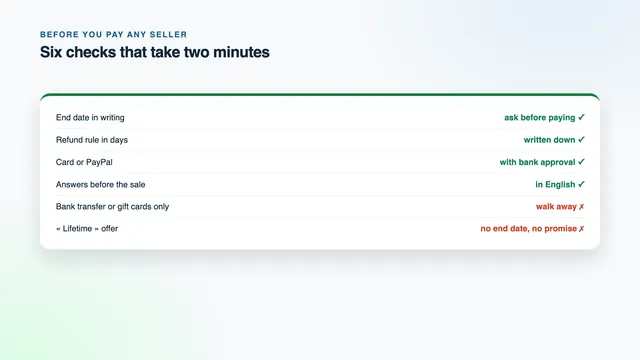
If something here doesn’t match what you see, message the team, 24/7, with three things: the name of the player, the device it runs on and a photo of the error. The team already holds your login, so there is no need to send the link back.
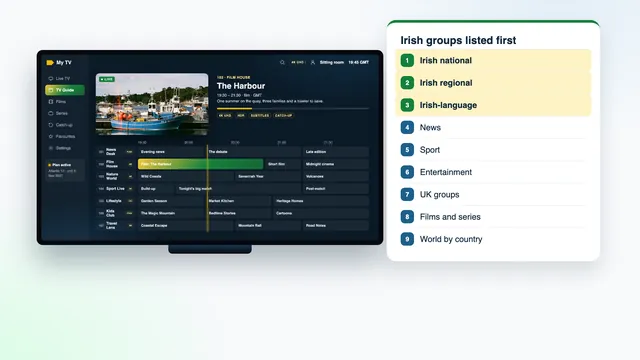
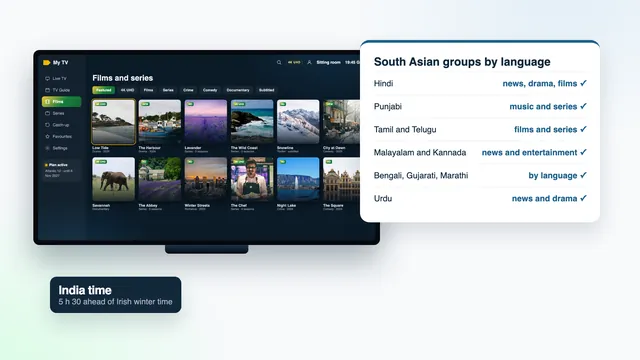
Once the list is in, the layout of the Irish channel groups explains which folder holds what, and the guide to the Indian and South Asian language groups covers the world part of the list. To compare plans and see what your line will play, start from the IPTV Ireland home page and its Line check.
Frequently asked questions
Can I add the IPTV Ireland M3U link to more than one device?
Yes, to every device in the house. How many play at the same moment depends on the plan: one screen with Atlantic 3, Atlantic 12 or Atlantic 24, two with Atlantic 12 Duo. A second device on a one-screen plan simply waits its turn.
My player asks for an EPG URL. What do I enter?
The second link in your login message, the one ending in xmltv.php with your username and password after it. That is the programme guide. Paste it whole, then let the player finish its first download.
Can I edit the M3U file to remove channels I don’t want?
You could save a copy and edit it, but the copy stops updating and drifts away from the real list within days. Hiding groups inside the player does the same job and keeps the link live.
What happens to the link when my plan ends?
It goes dead on the date printed in your login message. A later order brings a new login with new links, and those take the place of the old ones in each player.
Is M3U or Xtream Codes better for 4K?
Neither changes the picture, because both point to the same streams. 4K needs a source made in 4K, roughly 25 Mb/s that doesn’t dip, a TV or stick that handles 4K through an HDMI 2.0 or later port, and hardware HEVC decoding in the player.
Can family in another house use our M3U link?
No. Each plan is for the people under one roof, and a login seen in use elsewhere may be suspended. For two TVs in the same home, Atlantic 12 Duo at €79 covers both at once.