
Best when you are in front of the TV with the remote. Send a photo of the screen, try the one change suggested, and report back in the same thread.
Contact
Contact IPTV Ireland: WhatsApp, email and orders
One team answers every message to IPTV Ireland, in English, 24/7: on WhatsApp for a quick back-and-forth, or at [email protected] when you want things in writing. Questions before ordering are welcome, and nobody is pushed to pay.
Get in touch
Three ways to reach us
For anything you want kept: a payment date, a refund request or your end date. Our address is [email protected].
Placing an order
The quickest order starts on the plans page: each plan’s button opens WhatsApp with the plan and the price in euro already written, and a payment link comes back.
What to send
What to send for each kind of question
| Your question | What to include | Best way |
|---|---|---|
| Which plan suits | How many TVs play at once, the devices, and your type of line (full fibre, cabinet, fixed wireless, 4G or 5G) | |
| An order | The plan’s name, one TV or two, and whether you will pay by card or PayPal | The plan’s button, or email |
| A login problem | Device, player, how far you got, and a picture of the error | WhatsApp, with a photo |
| Line or speed | The line type, plus an evening speed figure from the TV or stick itself | |
| A refund | The payment date, how you paid, and what happened on each screen | Email, for a dated record |
Never send card numbers, bank details or the password of another account: we never need them, and payment always happens on the payment company’s page. Your login details are fine to quote back to us if something does not work.
For refunds, the refund policy sets out when the 7-day rule applies: no login ever reached you, or no screen would play even with our help. The amount is returned through the same card or PayPal account.
Before you write
Three checks that often answer the question
Many messages we receive are settled by one of three quick checks, so they are worth a minute before you write. None of them needs any technical knowledge.
First, the date: if the details worked for months and suddenly stopped, compare today with the end date in your login message. Second, the device: switch the TV or stick off at the wall for thirty seconds, then sign back in. Third, the line: run a speed check on the TV itself, in the evening, and keep the figure for your message.
If none of that helps, the setup page has a table of the usual problems and their fixes. Still no luck? Send us a photo instead of a description; it saves a round of questions.
Quick checks
- The end date in your message
- The device restarted from the wall
- A speed figure taken on the TV in the evening
Hours
Open 24/7, in English
Messages are read 24/7, including weekends and bank holidays, since setup questions tend to come up in the evening, when the TV is actually on. The login message itself goes out some 2 minutes after a payment, whatever the time.
Writing from Northern Ireland? The same WhatsApp number and email address apply, the prices are in euro, and a sterling card pays them; the Northern Ireland guide covers the conversion and the clock.
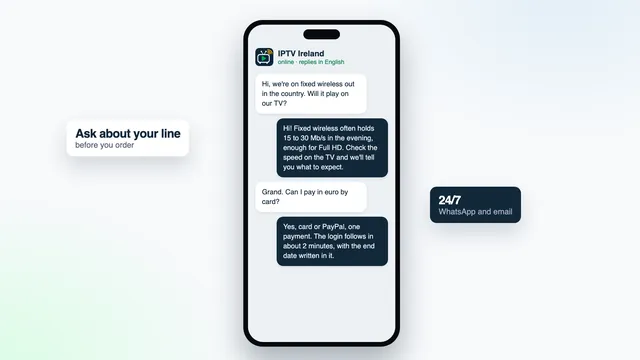
Thinking about a plan but not sure your broadband will hold it? Tell us the line type and an evening speed taken on the TV, and we will say which picture to expect. The guides go further on lines, devices and channels.
FAQ
Contact questions
Can I ask a question before paying?
Yes, and it is the best time to ask. Tell us your devices, your line and how many TVs will play at once, and we will suggest a plan or tell you plainly if your setup will struggle.
Is anyone there late at night or on a bank holiday?
Yes, support runs 24/7. Login messages go out at any hour too, around 2 minutes once a payment has gone through.
What should I send when a channel will not play?
The device, the player, the name of the group the channel is in, and a photo of the screen. Say whether other channels play, because that tells us straight away whether the problem is the channel or the connection.
Can I order by email instead of WhatsApp?
Yes. Write to [email protected] with the plan’s name and whether you need one TV or two. The reply has the payment link, and the login comes back to the same address.
What is the way to claim a refund?
Email us within 7 days of payment with the payment date and what happened on each screen. A refund applies when no login arrived, or when no screen would play even with our help, and the money goes to whichever card or PayPal account you paid with.
Do you ever need my card details or a password?
No. Payment is made on the payment company’s own page through the link we send, and we never ask for card numbers or the password of any other account.
Not sure yet? Ask first
A short message about your TV and your line saves guesswork on both sides. When you are ready, every plan has its own order button, and the details follow some 2 minutes after you pay.