Irish guide
IPTV Ireland Firestick guide: the right stick, the player and a steady picture
An IPTV Ireland Firestick setup comes down to three choices: the Fire TV that suits the television it plugs into, a player installed the right way, and a connection that still holds at nine on a Sunday evening. This guide works through each one for Irish homes, from a terrace on full fibre in town to a farmhouse on fixed wireless, then lists the fixes for the problems people actually run into.
Matching the Fire TV to the television
Start with the television rather than the stick. A stick can only send what the screen and its HDMI input will accept, and the picture is never sharper than its source, so 4K UHD only appears on the channels and films that come in 4K. Plenty of Irish homes have one 4K set in the sitting room and an older Full HD set in a bedroom or the kitchen, and the two rarely need the same device.
A 4K set in the sitting room
For a 4K television, the Fire TV Stick 4K and the Fire TV Stick 4K Max are the usual picks. Both show 4K HDR where the source offers it, and both tuck in behind the set on its HDMI input. If that TV is the one the family gathers round for a match or a film on a Saturday night, choose one of these over a Full HD model: a Lite stick would cap the best screen in the house at Full HD for as long as you keep it.
The Fire TV Cube
The Cube is a small box rather than a stick. It sits on the TV unit instead of hanging off the back of the set, plays 4K HDR where the source has it, and suits the main television in a house where one device does most of the evening’s work. It runs the same players as the 4K sticks.
Older Lite and basic sticks
Many homes already have a Fire TV Stick Lite or an earlier basic stick sitting in a drawer. These top out at Full HD. On a Full HD set in a bedroom that costs you nothing, and on fixed wireless or a 4G router Full HD is often what the evening speed allows in any case. Plugged into a 4K television they still work; you simply never see the 4K versions.
| Fire TV device | Best picture | Suits | Before you buy |
|---|---|---|---|
| Fire TV Stick 4K | 4K HDR where the source has it | A 4K sitting-room set on full fibre or fibre to the cabinet | Confirm the system is not Vega OS |
| Fire TV Stick 4K Max | 4K HDR where the source has it | The 4K set the house watches most evenings | Confirm the system is not Vega OS |
| Fire TV Cube | 4K HDR where the source has it | The main TV, with the device standing on the TV unit | Confirm the system is not Vega OS |
| Fire TV Stick Lite or an older basic stick | Full HD | A bedroom or kitchen set, or a home on fixed wireless or a 4G router | Fine as it is, without 4K |
| Any model running Vega OS | Depends on the model | Only homes happy with apps from the Amazon Appstore | Cannot install a player with Downloader |
Weighing a stick against an Android box for the same television? The guide to Android boxes in Ireland sets out what a box adds and when it isn’t worth the money.
Check the system before you pay for a stick
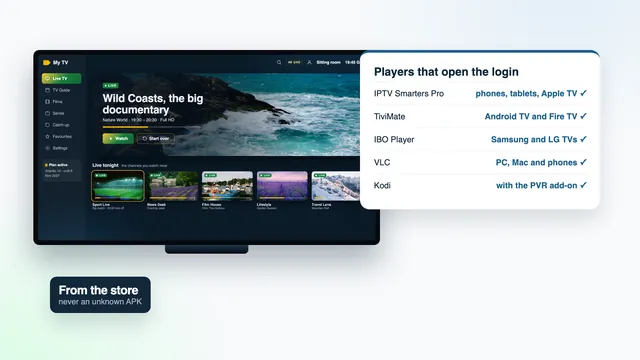
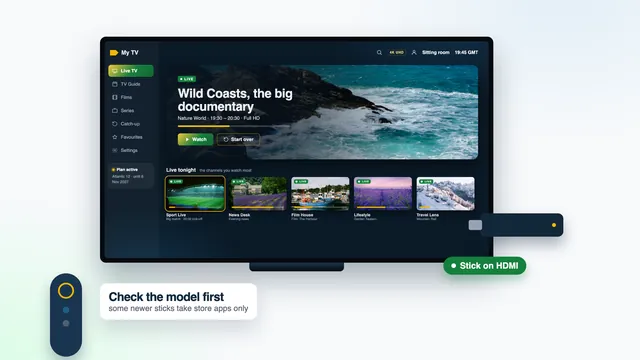
Amazon now sells some recent sticks with Vega OS in place of the Android-based Fire OS that earlier models run. Vega OS takes apps from the Amazon Appstore and nowhere else, so Downloader can’t install anything on it. Smarters Pro isn’t in the Appstore at the time of writing, which means a Vega OS stick can’t run it.
The model name alone doesn’t always tell you, so read the technical details on the listing, or the side of the box, for the operating system. If you’re unsure about a particular stick, send its exact name through the contact page before you order anything, and the team will tell you whether a player for our login can go on it.
IPTV Ireland Firestick setup: installing the player
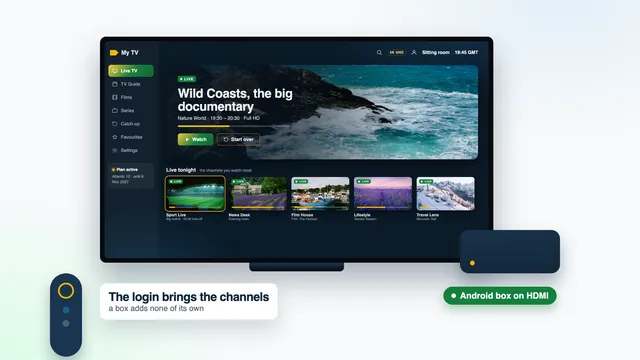
The login message we send about 2 minutes after payment holds everything the stick needs. Three details form the Xtream Codes login (username, password, server URL); alongside them come a playlist link in M3U form, a separate link for the programme guide and the date your plan ends. The download link for the player is sent with your login too. Keep that message open on your phone and work through these steps with the remote in your other hand.
- From the home screen, search the Amazon Appstore for Downloader, the app published by AFTVnews, and install it.
- Give Downloader permission: in Settings › My Fire TV › Developer options, open Install unknown apps and turn it on for Downloader.
- Developer options missing from the list? It stays hidden until you select the stick’s name seven times running in Settings › My Fire TV › About. A short message confirms the change, and the menu then shows one step back.
- Open Downloader, select its address box, type the link that came with your login and choose Go. When the download ends, Fire TV asks whether to install the player: choose Install.
- When the install finishes, pick Done, and say yes when Downloader offers to remove the file it saved. Older sticks are short of space, and the file has done its job.
- Find the player in your apps list, press the menu button on the remote and choose Move, so it sits in the front row and opens in one click.
If the player you prefer is listed in the Appstore, install it from there and skip Downloader altogether. Either way it opens empty: a player is a bare frame until the login is typed in. The guide to player apps for Irish screens compares the choices if you haven’t settled on one.
Typing the Xtream login with the remote
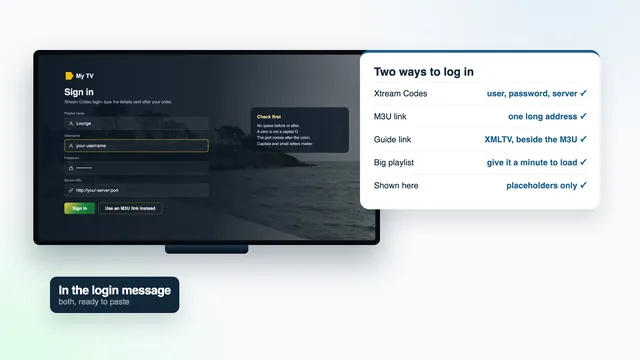
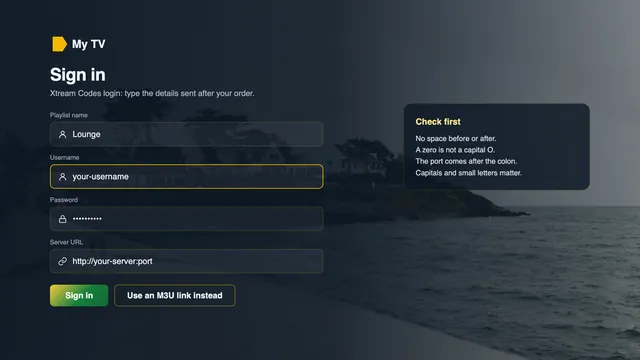
It’s the step people put off, and it takes about three minutes. Open the player, pick the Xtream Codes login (some players label it Xtream API), and fill in four fields:
- Name: any label for this profile, such as Front room or Kitchen.
- Username and password: exactly as written in the message. Capitals count, and a zero is not the letter O.
- Server URL: the whole address, from
http://to the port number after the colon, in the formhttp://your-server:port.
The on-screen keyboard is slow but reliable. Two habits help: move along the rows with the arrows instead of jumping back to the start for every letter, and read each field back before moving to the next, because one slip in the server address is enough for the player to refuse the login.
If you’d rather type with your thumbs, Amazon’s Fire TV app for mobile phones connects to the stick on your home Wi-Fi and brings up the phone’s keyboard whenever a text box is open on the television.
Prefer one link to three fields? Players that accept an M3U link let you work that way, and the M3U link guide for Irish homes explains when that route is simpler and when the Xtream fields serve you better.
A cable for 4K, and the settings that go with it
For 4K, budget about 25 Mb/s for each screen, steady, and measure it on the stick itself rather than on a phone in the hall. Wi-Fi from a router in the same room may cope at 5 GHz. Two rooms away, through the thick walls of an older Irish house, it often won’t, and the first sign is a 4K channel that starts well and stutters ten minutes in.
A wire settles it. A stick has no Ethernet port built in, but adapters made for Fire TV sticks add one; check that the adapter lists your exact model. If the router and the television are in neighbouring rooms, a flat cable along the skirting board is the cheapest fix in the house. Where a cable can’t reach, a pair of powerline adapters carries the network through the mains wiring; how well they do depends on the wiring, so keep the receipt.
On the television and on the stick
- Use an HDMI input that accepts 4K at 60 Hz, which means HDMI 2.0 or newer. On many sets only some inputs do; the manual or the label beside the sockets says which.
- Under Settings › Display & Sounds › Display, leave the video resolution on Auto unless the picture flickers.
- HDR and Dolby Atmos need three things to line up: a source that carries them, a player that passes them on and a television that can show them. A 4K channel without HDR is not a fault.
- An IPTV Ireland Firestick on a cable still plays the HD or Full HD version of a channel that wasn’t made in 4K. The cable steadies the stream; it can’t add detail the source never had.
Wi-Fi on fixed wireless and 4G or 5G lines
Across much of rural Ireland, broadband arrives through an antenna on the gable or a 4G or 5G router on a windowsill, and the router goes wherever the signal is best rather than where the television is. That changes what any stick can do.
Fixed wireless usually holds 15–30 Mb/s in the evening: comfortable for Full HD on one screen, short of what 4K needs. A 4G or 5G router can swing between 10 and 40 Mb/s depending on how busy the mast is, so plan on HD to Full HD between 19:00 and 23:00, and expect weekends and big match nights to be the tightest. A 4K stick still works on these lines; it simply plays the Full HD version most evenings.
- Keep the stick on 5 GHz if it’s within a room of the router; 2.4 GHz reaches further but carries less.
- If the router sits upstairs for signal, a cable down to the television, or a mesh unit in the sitting room, beats a stick straining through a floor.
- On a 4G or 5G router, an outdoor or window-mounted antenna often lifts the evening speed more than any setting on the stick.
- Pick the Full HD version of a channel where the list offers more than one. It needs about 10 Mb/s against 25 for 4K.
- Fixed wireless needs a clear line of sight to the mast, and its speed varies with distance and weather. Weeks of poor evenings are a question for your broadband company rather than for the stick.
Our guide to what each Irish broadband line plays covers these connections in more depth, and the IPTV Ireland Line check on the home page sets the four kinds of line side by side.
Fixes for the problems people meet
Most faults on an IPTV Ireland Firestick trace back to a short list of causes. Find the row that matches your screen.
| Symptom | Usual reason | Fix |
|---|---|---|
| Downloader won’t install the player | Install unknown apps is off for Downloader, or the stick runs Vega OS | Switch Downloader on under Developer options; on Vega OS, use an Appstore player or another screen |
| The login is refused | A typing slip in the username, password or server URL | Retype slowly: capitals, http:// in front, the port number at the end |
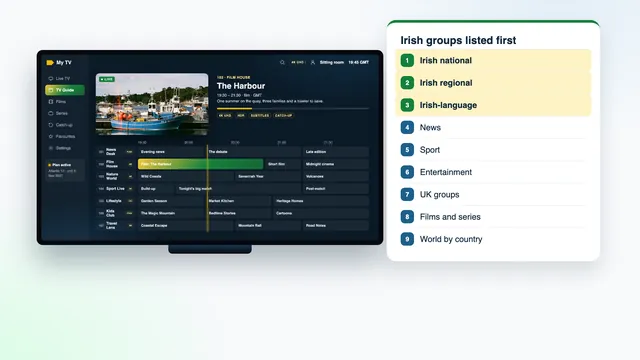
| Channel list fine, guide empty | The programme guide hasn’t finished loading | Give it a few minutes after the first login, then refresh the guide in the player’s settings |
| Programme times are an hour out | The player’s guide offset doesn’t match Irish time | Adjust the player’s EPG time offset; the stick’s own clock is fine |
| Stutters after dark only | Evening peak on the line, roughly 19:00 to 23:00 | Use a cable, move to 5 GHz, or pick the Full HD version |
| Never any 4K | A Lite stick, a non-4K HDMI input, or a channel not made in 4K | Check the stick model, the input and the channel’s quality label |
| Menus crawl or the player closes | Storage nearly full, or a swollen cache | In Settings › Applications › Manage Installed Applications, pick the player and clear its cache; uninstall what you no longer use; restart from Settings › My Fire TV |
| Everything stopped on one day | The plan’s end date has passed | Order again; the fresh login goes into the player you already have |
Still stuck? Photograph the screen and send the picture to the team on WhatsApp. Someone replies 24/7, in English, and email works too. If nothing plays on any screen even with that help, the 7-day refund rule applies.
Two televisions, two sticks: choosing a plan
A stick plays one stream at a time, and so do three of the four plans: Atlantic 3, Atlantic 12 and Atlantic 24. Atlantic 12 Duo is the exception, with two streams together for €79 over twelve months, which suits a house with an IPTV Ireland Firestick on the sitting-room set and another upstairs.
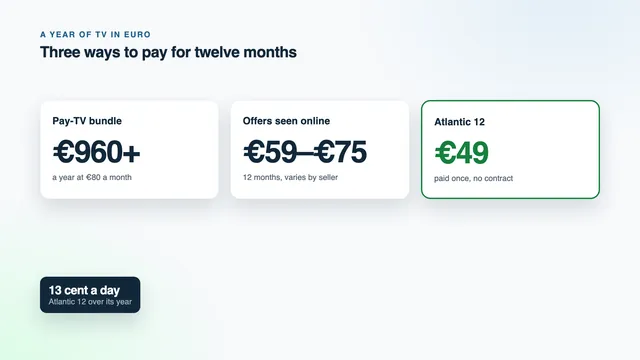
For a single TV we suggest Atlantic 12: €49 for twelve months, paid once in euro, that is €4.08 per month, roughly 13 cent per day. Atlantic 24 works out lower still, €3.71 a month across its two years. Channels, library and picture are identical in all four; the four Atlantic plans differ only in months and screens, and the IPTV subscription Ireland page shows the date each one ends.
Once the stick is sorted, the IPTV Ireland setup page covers the other screens in the house, from phones and tablets to smart TVs with their own apps.
Frequently asked questions
Which Fire TV should I get for a 4K television?
The Cube, the Stick 4K Max or the plain Stick 4K, as long as the one you pick doesn’t run Vega OS. All three play 4K HDR where the source offers it. Plug it into an HDMI 2.0 input and give it a cable or strong 5 GHz Wi-Fi.
Will an old Fire TV Stick Lite still work?
Yes, for Full HD. It takes the player through Downloader in the same way and plays every channel in HD or Full HD. It won’t show the 4K versions, which on a Full HD television makes no difference.
Do I need an Amazon account on the stick?
The stick asks for one during its own first setup, and that account is between you and Amazon. Your login from us is separate: it goes into the player, and we never need your Amazon details.
Can one Atlantic 12 login run on two sticks?
The details can sit in a player on several sticks in the house, though just one of them streams at any moment. For two televisions watching together, Atlantic 12 Duo at €79 covers both.
Does an IPTV Ireland Firestick work the same in Northern Ireland?
Yes. The stick, the player and the login behave the same on both sides of the border, and the guide follows the same clock. The plans are priced in euro and a sterling card pays them, with your bank converting at its own rate; the Northern Ireland guide has the detail.
Does anything stay on the stick after the end date?
The player stays installed; only the channels stop, on the date given in your login message. Ordering again gets you fresh details, and they go into the player that’s already there. Nothing renews or charges you on its own.