Irish guide
IPTV box Ireland: what a box adds, what it never adds and how to choose one
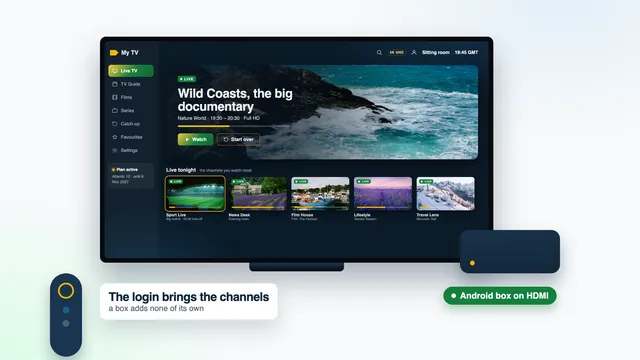
An IPTV box Ireland shoppers see advertised online is usually an ordinary Android box with a remote, and nothing inside it decides which channels you get: the login does that. This guide sets out what a box is genuinely good for in an Irish home, the label and specs worth paying for, when a stick or the TV’s own apps make it unnecessary, and the signs of a ‘loaded’ box that is best left on the shelf.
What a box adds to the television, and what it never adds
Plugged into a spare HDMI input, an Android box turns almost any television into a screen that can run a player app. That is the whole of its job. Compared with an ageing smart TV, a decent box can bring:
- a current system that still receives app updates;
- a network socket, so the television can take a cable from the router;
- Google Play on certified models, with the full choice of players;
- 4K output at 60 Hz for a set whose own apps were never built for it.
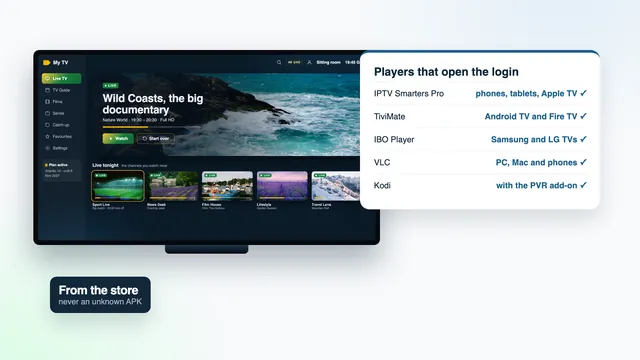
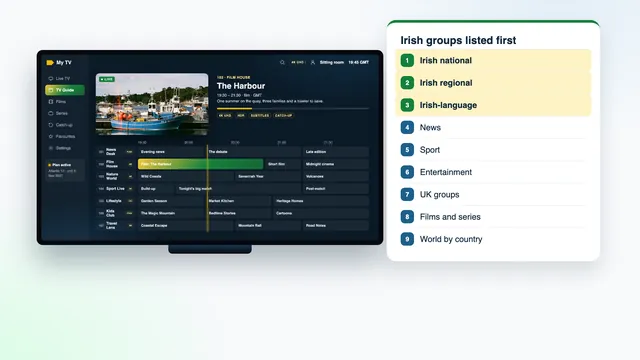
What it can’t bring is a single channel. Live channels (40,000+), films and series (120,000), a guide covering seven days and catch-up: all of it arrives through the login message we send once payment is confirmed. Put that login into a player on the box and the Irish groups appear first, followed by the UK groups, sport, films and the world groups. Take the login away and the same box shows an empty app.
So the box question is really a question about screens. If a television in your house can already run a good player, you may not need a box at all; the section on sticks and TV apps further down deals with that.
Certified or uncertified: the label that matters most
Android boxes fall into two groups, and the price on the listing doesn’t always tell you which one you’re looking at.
Certified Android TV and Google TV boxes
These carry Android TV or Google TV certification. They come with Google Play, so players install from the store and keep themselves up to date, and the maker sends security updates for the system. On screen you get the familiar Android TV or Google TV home layout and the same player apps as a television running that system.
Uncertified boxes
Usually the cheapest listings online. Many run an old version of Android, sometimes one designed for phones, with no Google Play or a substitute store in its place, and no updates after they ship. Apps then come from wherever the seller points you, and that is where most of the trouble with boxes begins.
How to tell before you pay
- The listing or the packaging names Android TV or Google TV, not just ‘Android’.
- The photos show the Google TV or Android TV home screen rather than a seller’s own launcher crowded with tiles.
- An Android version several years old on a box sold as new is a warning sign in itself.
- Once a box is running, the About section in the Play Store’s settings states whether the device is Play Protect certified.
Specs worth paying for, and the ones that are padding
Spec sheets for boxes run long and are mostly noise. For an IPTV box Ireland homes will use every evening for years, six lines matter, and none of them is expensive on its own.
| Spec | Why it matters here | What to look for |
|---|---|---|
| 4K output at 60 Hz | Smooth 4K pictures on the channels and films that carry them | ‘4K@60Hz’ on the spec sheet, from an HDMI 2.0 port or later |
| Hardware HEVC (H.265) decoding | 4K streams need decoding by the chip, not by software | H.265 or HEVC listed under hardware decoding |
| Memory (RAM) | Keeps a list of 40,000+ channels and a seven-day guide moving | 2 GB or more |
| Ethernet socket | The steadiest link to the router, above all for 4K | A network port on the back of the box |
| 5 GHz Wi-Fi | For rooms no cable can reach | ‘Dual-band’ or ‘5 GHz’ in the Wi-Fi line |
| Certification | Google Play and security updates | Android TV or Google TV named on the box |
And the padding. An ‘8K’ sticker changes nothing, because the sharpest picture we deliver is 4K UHD, and that only on sources made that way. Huge storage figures matter little, since a player and its guide take up modest space. A long list of pre-installed apps is a reason for caution rather than a feature, as the section on loaded boxes explains.
Where boxes are sold in Ireland
You’ll find Android boxes in three kinds of places, each with its own trade-offs.
Electrical and computer shops
Retail parks and town-centre shops carry a smaller range. You can hold the box, read the packaging for certification and the ports, and take it back to a counter if it fails in the first weeks.
Online marketplaces
The widest choice, and the widest spread of quality. Read the specification table rather than the title, which is often stuffed with keywords. Check who the seller is and where the box ships from: a box sent from outside Ireland can take a while to arrive and may come with a two-pin plug that needs an adapter for an Irish three-pin socket.
Second-hand listings
Cheapest of all, and fine for a certified box in good order. Reset it to factory settings the moment you get it home, so no old accounts or apps come with it. A second-hand uncertified box is the worst of both worlds: old software and no updates.
Wherever you buy, keep the receipt; the CCPC publishes consumer guidance in Ireland that is worth reading if a device turns out faulty. One thing you won’t find anywhere is a box from us. IPTV Ireland sells the login only, so the device is yours to choose, and through the contact page the team can say before you spend anything whether a model you’re looking at will run a compatible player.
When a stick or the TV’s own apps are enough
A box is one way to add a player to a television. Quite often a simpler one is already in the house, and the IPTV box Ireland listings never mention it.
| Your television | Simplest route | When a box makes sense |
|---|---|---|
| Android TV or Google TV set | Add a player straight from Google Play, on the TV itself | Rarely: only once the TV’s system has stopped getting updates |
| Samsung or LG smart TV | Smarters Pro if your model lists it, otherwise Smart IPTV or IBO Player | When none of these suits, or the TV’s menus have grown slow |
| Older TV with no usable apps | A Fire TV stick in a spare HDMI input | When you want Google Play, or a network socket built in |
| 4K TV far from the router | A 4K stick on 5 GHz Wi-Fi | When a cable can reach the TV and you want it plugged straight into a box |
| Full HD set in a bedroom | A Lite stick or the TV’s own apps | Almost never |
Our Firestick guide for Irish homes covers the stick route in full, including the Vega OS models that can’t add a player from a link, and the comparison of player apps by device explains what runs on Samsung, LG and Apple TV.
Warning signs of a ‘loaded’ box sold with channels
Some listings sell a box as ‘loaded’ or ‘fully loaded’: a device, a set of apps and access to channels for one price. It sounds convenient. In practice the channels depend on whoever set the box up, the access leaves no paper trail, and the box itself is the least important part of what you’ve paid for.
- The listing talks about channels and ‘no monthly fees’ far more than about the box’s specs.
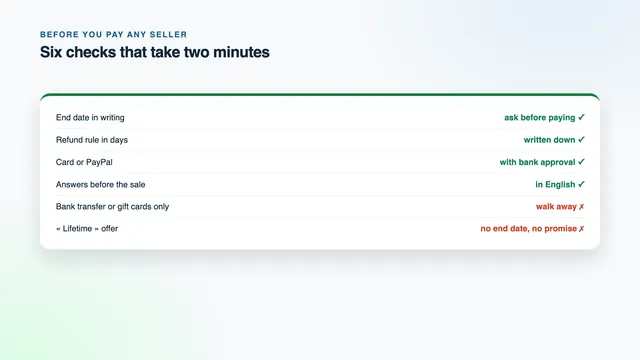
- There’s no end date in writing for the access, or the word ‘lifetime’ appears instead.
- Apps come pre-installed from outside any store, and the store itself is missing or hidden.
- The home screen is locked, and settings menus you’d expect to reach are greyed out.
- Payment is by bank transfer, gift cards or crypto only, or renewing means posting the box back.
- There’s no refund rule with a number of days, and no reply when you ask a question before paying.
When that hidden access stops, there is usually nobody to ask, and the apps that came with the box were never meant to be pointed at anything else. Unknown apps installed from outside a store can also carry malware onto a device that sits on your home network, next to your phones and laptops.
The clean alternative is two separate purchases: a box or stick you own outright, and a login with a price in euro, an end date in writing and a refund rule you can read before paying. The checklist for judging any seller in Ireland goes through the questions worth asking.
IPTV box Ireland setup, from first switch-on to the first channel
With a clean, certified box the job is short, and most of it is waiting for updates. Have your login message open on your phone.
- HDMI cable to the television first, then a network cable to the router if one reaches, then the power.
- Go through the box’s own setup: language, Wi-Fi on 5 GHz if there’s no cable, and a Google account on certified models so Google Play works.
- Let the system install its updates before anything else, and restart when it asks.
- Open the display settings. On a 4K television choose 4K at 60 Hz as the output, or leave detection to the box. Pick Dublin as the time zone so the clock reads Irish time.
- Open Google Play, install the player you’ve chosen, and open it.
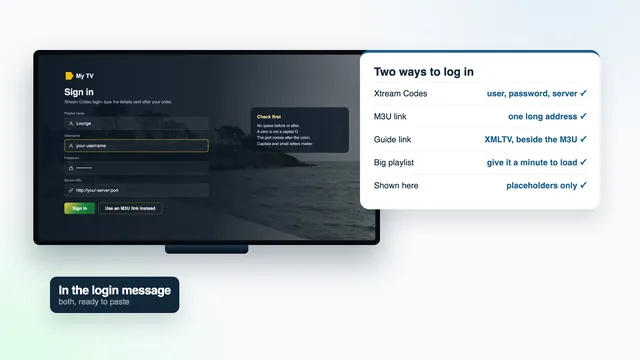
- Type in the three Xtream Codes details from the message, or give the player the M3U link if that is what it asks for.
- Open the programme guide and compare tonight’s listings with the clock. If they sit an hour out, change the player’s EPG time offset rather than the box’s clock.
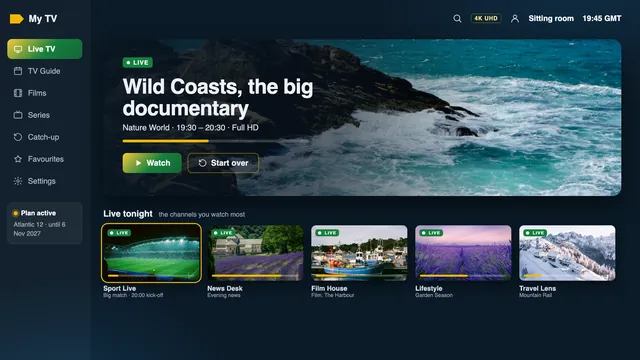
The IPTV Ireland setup page covers the same login on phones, tablets and smart TVs, so every screen in the house ends up with the same channel list.
Keeping a box running well
- Accept system updates on a certified box, and let Google Play keep the player current.
- If the channel list stalls, clear the player’s cache in the box’s app settings before reinstalling anything.
- Remove apps you don’t use; spare memory keeps the guide quick to scroll.
- Give the box air. Shut in a closed cabinet behind a television, it runs warm and can slow down.
- Write the plan’s end date somewhere you’ll see it, since nothing on the box will remind you.
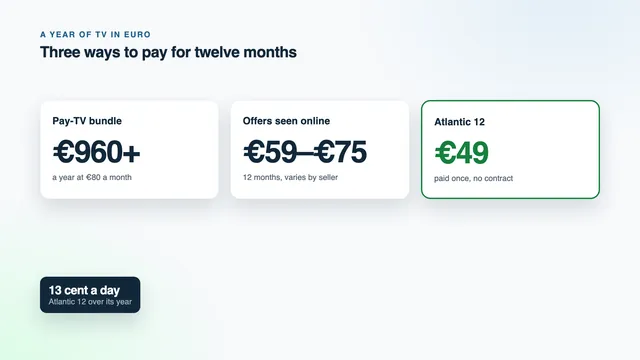
An IPTV box Ireland homes set up this way plays one stream at a time, like any other screen. Atlantic 12 covers one screen for €49 a year, paid once; Atlantic 12 Duo lets two screens play together for €79. Compare the Atlantic plans and their prices, or read the IPTV subscription Ireland details for each plan’s end date. New to the site? The IPTV Ireland home page shows what each Irish broadband line plays.
Frequently asked questions
Do I need a box to watch IPTV in Ireland?
No. Any screen that runs a compatible player can open the login: an Android TV or Google TV set, a Fire TV stick, an Apple TV, a phone or a tablet. A box is one option among several, useful when the television has no usable apps.
Is a dearer box better for IPTV?
Not beyond a certain point. Once a box ticks the lines in the specs table (certification, hardware HEVC, 2 GB of memory, a network port, 5 GHz Wi-Fi), extra spending buys little for a player app. The channels and the picture quality come from the login and the source.
Can I use an Android box I already own?
Usually, if a compatible player installs on it from a store. An uncertified box with an old version of Android may struggle with current player versions. Send the team the model and its Android version, and they’ll say what to expect.
Will an IPTV box Ireland buyers order from abroad work here?
The box itself works anywhere with a television and broadband. Check the plug, since a box from outside Ireland may come with a two-pin plug, and make sure it’s certified so updates keep arriving. Our login behaves the same whatever country the box came from.
Does the box need an Ethernet cable?
Not always. A cable is the steadiest option for 4K, where each screen needs around 25 Mb/s without dips. For HD or Full HD, 5 GHz Wi-Fi near the router usually does the job.
Can you send me a box with the login already set up?
No. We don’t sell or set up boxes, sticks or apps. The login arrives by WhatsApp or email, and the team will talk you through typing it into the player on your own box if you’d like help.